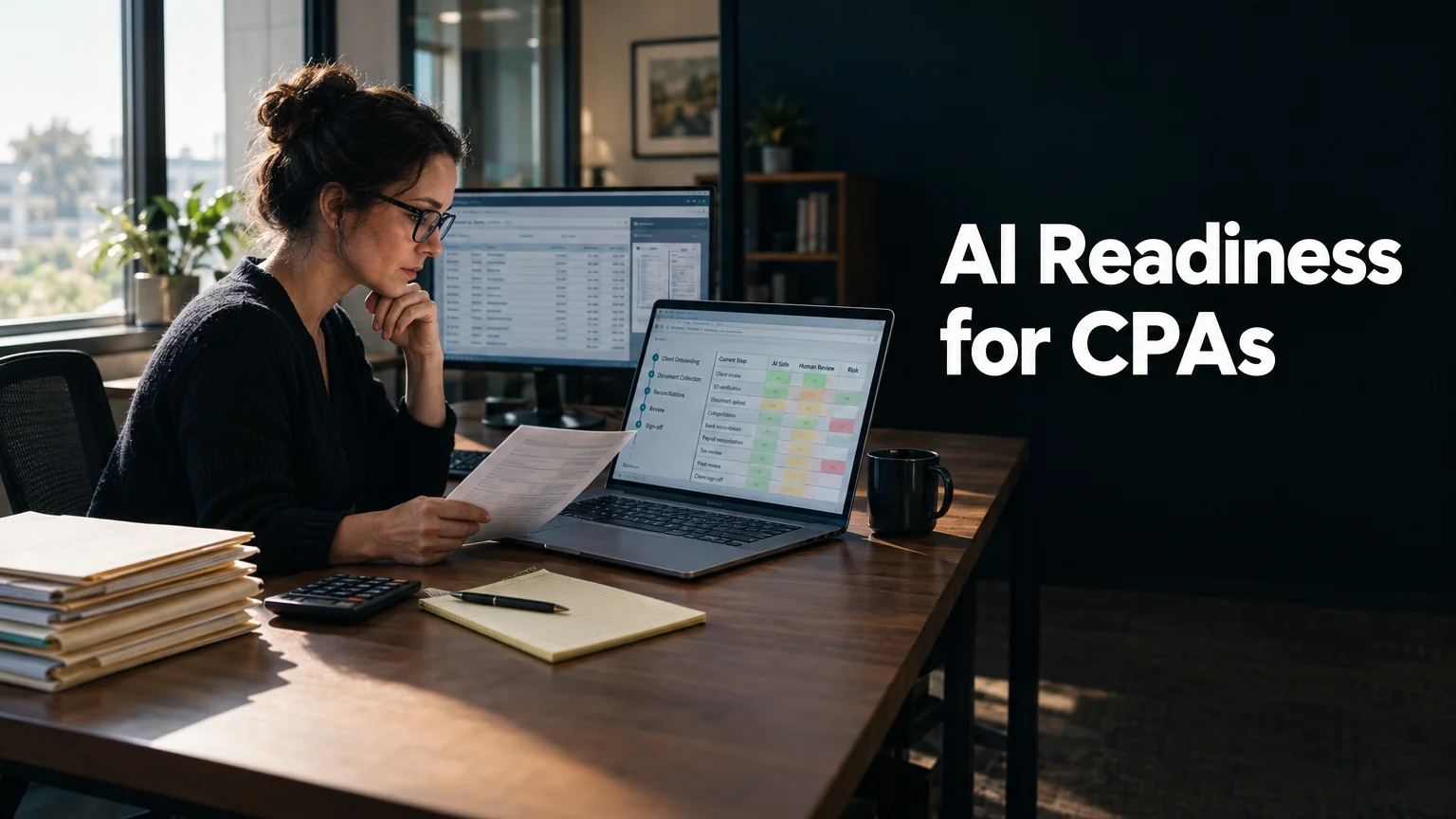
An AI readiness audit for accounting firms looks at how your practice runs today (client onboarding, document collection, reconciliations, review and sign-off) and tells you where AI can safely take on work and where it should stay out. For a small CPA, bookkeeping or tax practice, the audit also checks how client financial data moves through your tools, because that decides which AI uses are safe before anyone asks whether they’re useful.
I run these audits for founder-led firms with 5 to 20 people and no operations lead. Accounting practices fit that description more often than most, and they have a few traits that change how the audit is done.
In Brief
- An AI readiness assessment for CPA firms maps how work moves through the practice and ends with a ranked list of where AI fits first.
- Accounting firms differ from other service businesses in 5 ways that shape the audit: confidential client data, seasonal load around tax deadlines, document-heavy intake, knowledge held by partners, and multi-step review before anything reaches a client.
- The first safe uses of AI in a small firm tend to sit around the edges of the work: chasing missing documents, drafting routine client emails, summarizing notes, and preparing workpapers for a human reviewer.
- The riskiest move is staff pasting client financial data into public AI tools with no written rule about it. The audit checks for this directly.
- Preparation takes a few hours: a list of your software and a walk through one recent engagement, from signed letter to delivered return.
- You end with process maps, findings tied to evidence, opportunities ranked by cost, and a roadmap. Tiers run $750, $1,500 and $4,000.
Why Accounting Firms Are a Particular Case
Most of the audit method is the same for any small service business. I interview the owner and a few people who do the work, document the processes that matter, review the systems, and rank what to do first. Accounting practices change the weighting of almost every step.
Client Data Is the Whole Business
When a tax practice leaks a client’s W-2s or payroll register, the client carries the damage along with the firm. Your firm holds Social Security numbers and bank account details for every client on the books.
That changes the first question in the audit. Before I look at what AI could do, I look at where client data already goes. Which tools hold it, who can export it, and whether anyone has pasted it into a chatbot to reformat a messy spreadsheet. In a firm without a written AI rule, the honest answer is often “we don’t know.”
Seasonal Load Hides the Real Bottlenecks
Accounting work is lumpy. From late winter through the spring filing deadline, and again before the extension deadlines, the same 8 people are doing twice the volume. Every process that feels fine in August breaks in March.
So the audit asks about the worst week of the year. When I interview staff, I ask them to describe what happened during the last busy season: which requests piled up, which clients sent documents late, which reviews stacked up on one partner’s desk. That’s where the real bottlenecks show up.
Intake Is Mostly Documents
A bookkeeping client might send 12 months of bank statements as phone photos. A tax client sends a K-1 in March, a corrected 1099 in April, and a question about a property sale by text message. Much of the admin time in a small firm goes to requesting, chasing, sorting and renaming documents.
Document handling is one of the areas where current AI tools help most. It also carries the highest data risk, so the audit looks at both together.
Knowledge Sits With the Partners
In a 10-person firm, the founding partner often knows which clients always file late, which one has a tricky multi-state situation, and which bookkeeping client codes meals differently from everyone else. None of that is written down. It lives in her head and in years of email.
AI cannot use knowledge that isn’t recorded anywhere. Part of the audit is getting the most important of it into process documents.
Everything Passes Through Review
Accounting work has a sign-off chain. A staff accountant prepares, a senior reviews, a partner signs. That chain exists for good reasons, and any AI use has to fit inside it. A tool that drafts a reconciliation fits the chain when a person reviews it the same way they’d review a junior’s work.
The audit maps the review chain for each process I document, so every recommendation names who checks the output.
What an AI Readiness Audit Looks at in an Accounting Firm
The audit runs in 5 phases over about a week: preparation and context, interviews and discovery, readiness analysis, findings and synthesis, then delivery and next-step planning. Here’s what those phases cover in a practice.
Workflows
I document the processes that carry the most time and the most risk. In most small firms, that list includes:
- Client onboarding, from first inquiry to a signed engagement letter and a complete set of prior-year documents. How many emails does it take, and who sends them?
- Engagement letters: where the templates live and how signatures get tracked.
- Document collection: how clients upload files and how often someone has to chase them.
- Reconciliations and monthly close for bookkeeping clients, including how exceptions get handled.
- Review queues, from preparer to reviewer to partner, and where work waits.
- Client communication, including the “where’s my refund” messages that arrive in April.
For each one, I record the inputs, the rules people follow, and the outputs. That becomes a process map you keep.
Your Software and Data
Most small firms run on a similar set of software categories: a practice management system, a client document portal, the accounting ledger for bookkeeping clients, tax preparation software, email and a shared file drive. Some add a separate e-signature or payment tool.
The audit checks how these connect and where people bridge the gaps by hand (retyping a client’s details from the portal into the practice management system, for example). It also checks whether each tool lets your data out through exports or integrations, because an AI tool can only help with data it can reach.
Who Decides What
I talk to the owner or managing partner and at least one person who does the daily work. For a larger engagement, that expands to reviewers and admin staff. The questions are practical. Who decides which tools the firm uses? Who is allowed to try a new one? Who would notice if a staff member started using AI on client files?
In many small practices, nobody owns these decisions. The audit names that gap and suggests who should hold it.
Rules for Client Data
This is the part accounting firms most need and most often skip. I look at:
- Whether the firm has any written rule about AI use, and whether staff know it exists.
- Which AI tools people already use, approved or not.
- What client data can go into which tools, and what must stay out.
- How the firm’s engagement letters and client agreements describe data handling, and whether current tool use matches what those documents promise.
I don’t give legal or regulatory advice. Your professional obligations are yours to confirm with your own advisers and professional bodies. What the audit does is show you, plainly, where client data is going today so those conversations start from facts.
Where AI Tends to Fit First in a Small Firm
The audit ranks opportunities by what they cost your firm now. In accounting practices, the first good candidates tend to share a trait: they sit around the professional work and leave the judgment calls with people.
Document chasing is the usual first candidate. Drafting reminder emails for missing items, tracking what each client still owes you, and sorting uploaded files into the right folders can take hours a week off an admin’s plate during busy season.
Routine client emails come next. A first draft of a status update or an answer to a common question, reviewed by staff before it’s sent, saves time without handing over any decisions.
Meeting and call notes are a third area. Summarizing a planning call into action items for the file is low risk if the tool is approved for client information.
Workpaper preparation can work too, with care. AI can help organize transactions or flag unusual items for a reviewer. The reviewer still reviews.
Where to Be Careful
Some uses need a clear rule before anyone tries them:
- Pasting client financial data into a free, public AI tool. The data leaves your control, and you may not know how it’s stored or used.
- Letting AI output reach a client without a human reviewer. Every draft should pass through the same sign-off chain as a junior’s work.
- Relying on AI for tax positions or technical answers. These tools can state a wrong answer with complete confidence.
- Automating a process nobody has documented. If three staff members do onboarding three different ways, automating it locks in the confusion.
A 1-page acceptable use policy covers most of this. It names the approved tools, says what data can go where, and states who reviews AI output. Most small firms can write one in an afternoon once the audit shows what people are already doing.
AI Tools for Accounting Firms: What to Look For
There is no single best AI for accounting firms. The right tool depends on the task, the data it touches and how it fits your review chain. I don’t rank products, because the choice should follow what the audit finds.
AI bookkeeping tools, document extraction tools and AI features inside your practice management or ledger software all work on client data, so each needs the same checks. Where does the data go, who can see it, and does a person review the output? A general chatbot such as ChatGPT can help with a client email template or a spreadsheet formula built from made-up numbers. It should not receive real client records unless your firm has approved that use in writing. Free tools are the main risk, but a paid plan does not settle the question by itself. Read the data terms.
AI agents for accounting firms are the next step up. They act on their own across several tools, for example by chasing a missing document and filing it when it arrives. They need a documented process underneath them and a named reviewer. If the process is not written down yet, start there.
Benefits and Disadvantages of AI in Accounting
The benefits of AI in accounting show up in admin hours. Document chasing, first-draft client emails, file sorting and call summaries take less staff time, and busy season gets easier to manage. Partners also get a reason to write down knowledge that has only lived in their heads.
The disadvantages are real too. Client data can leak if staff use public tools. AI output can be wrong and sound certain. A process nobody documented gets harder to fix once it is automated. And a tool nobody owns drifts out of date. Those are the reasons the audit looks at data rules and review chains before it looks at tools.
How to Prepare for the Audit
A few hours before the kickoff call is enough.
Make a list of every piece of software the firm pays for, including the small ones. A screenshot of your credit card statement often finds the forgotten subscriptions.
Pick one recent engagement and walk through it from start to finish. A single business tax return or one month of bookkeeping for one client works well. Note each step and each time someone had to wait.
Write down what went wrong last busy season. Three or four specific moments are more useful than a general sense that it was stressful.
Ask your staff, privately if needed, which AI tools they already use. You’ll get a more accurate picture if you make it clear nobody is in trouble.
Have your current engagement letter template and any written data or security policy ready to share. If you don’t have a policy, that’s fine. The audit will note it.
Plan the timing. An audit in the middle of the spring filing season is hard on everyone. Late spring through early fall usually works better, and it leaves time to put changes in place before the next deadline crunch.
What You Get at the End
The output depends on the tier. All 3 run on the same method, which is process extraction: getting down on paper how work really happens, then ranking where the time and risk go.
The 80/20 Process Audit ($750) takes 2 to 3 hours with you and is delivered the same day or the next. You get your top 3 processes captured as inputs, rules and outputs, plus the top 5 automation opportunities with the ROI math behind each, on a 1-page report. For a small bookkeeping practice, that might be onboarding, document collection and month-end close.
The Quick Assessment ($1,500) takes 4 to 6 hours of interviews with you and one senior person on your team, over one week. It documents 5 to 6 core processes, reviews your systems (including whether your tools will let data out), and delivers an SOP pack, a ranked opportunity cost table and a roadmap built for your firm.
The Full AI Operations Audit ($4,000) runs 8 to 15 hours of interviews with the owner, department heads and the staff who do the work, over two weeks. It follows a client’s path from first contact to invoice. It produces a full process library, findings linked to evidence, opportunity cost ranked in dollars, and one working automation built and shipped live during the audit week.
The process maps and SOPs stay useful even if you adopt no AI tool this year. Most small firms have never had time to write them.
Frequently Asked Questions
What Is an AI Readiness Audit for Accountants?
It’s a structured review of how your accounting practice runs, focused on whether your processes and data are ready for AI. It covers workflows like onboarding and document review, checks how client data moves through your systems, and ends with a ranked plan for where AI should be used first and where it shouldn’t be used yet.
Is It Safe for a CPA Firm to Use AI With Client Data?
It depends on the tool, how it handles data, and what your firm has agreed with clients. Free public AI tools are the main risk, because client data you paste in leaves your control. The audit shows where client data goes today and which tools are appropriate for which data. Confirm your professional obligations with your own advisers before putting client information into any AI system.
How Long Does an AI Readiness Audit Take for a Small Accounting Firm?
The standard audit runs in 5 phases over about a week. The 80/20 Process Audit is faster (2 to 3 hours with you, delivered the same or next day), and the Full AI Operations Audit takes two weeks.
When Is the Best Time of Year for an Accounting Firm to Do an Audit?
Outside your busiest filing periods. Late spring through early fall suits most tax practices, because staff have time for interviews and the firm has months to act on the findings before the next deadline season. Bookkeeping-heavy practices with steady monthly work can schedule it almost any time.
What Should a Small Accounting Firm Automate First With AI?
Usually the admin work around the professional work: chasing missing documents, drafting routine client emails, sorting uploaded files and summarizing call notes. These save hours in busy season and leave the judgment calls with your reviewers.
Do We Need an AI Policy Before We Start Using AI Tools?
Yes, and it can be short. A 1-page policy that names approved tools, says what client data can go where, and states who reviews AI output covers most of the risk for a small practice. The audit shows what it needs to say by finding out what staff already do.
What Does an Accounting Firm Need Before Using AI?
Four things. Documented processes, so you know what you would be changing. Clean enough data that a tool can read it. A written rule on which client data can go into which tools. And a named person who reviews AI output and owns each system. Without those, the first AI project tends to stall or create risk.
What Does AI Readiness Mean for the Partners of an Accounting Firm?
It means the partners decide, on purpose, what AI may touch and who signs off on its output. In most small firms that knowledge sits with the partners and nobody has written it down. An AI readiness assessment for a CPA firm turns it into rules the whole practice can follow, starting with which client data may go into which tools.
Are CPAs in Danger of AI?
My view is that the judgment, the client relationships and the professional sign-off stay with people. What changes is the routine work around them. Firms that learn which admin tasks AI can take on safely will have more time for the advisory work clients value. I can’t predict how the profession will change over time, and your professional bodies are the right source for guidance on that.
How Is AI Being Used in Audit and Accounting?
In small firms, mostly around the edges: extracting data from uploaded documents, drafting routine emails, summarizing notes, flagging unusual transactions for a reviewer and tracking missing items. Each use still goes through a human review before it reaches a client.
If your firm is already using AI in pockets and you want a clear picture before the next busy season, see how the AI readiness audit works and what each tier costs.
Related reading: How to Prepare for an AI Readiness Audit | AI Compliance and Client Data Starts With Your Contracts | The One-Page AI Acceptable Use Policy Template | AI Readiness Framework for Service Businesses
